DeepAI Paper 错误排查 The model does not exist or you do not have access 怎么解决?DeepAI 模型权限排查

The model does not exist or you do not have access 怎么解决?DeepAI 模型权限排查

很多人搜索“The model does not exist or you do not have access”时,真正需要的是一个能直接照着排查的清单,而不是泛泛解释。本文围绕 DeepAI API 中转站和 OpenAI Compatible API 的实际使用场景,整理原因、检查顺序和修复方法。

如果你的工具支持自定义 OpenAI Compatible API,常见 DeepAI Base URL 可以先用:

https://api.deepai.wang/v1

这个错误的核心是模型不可用或不可见

检查项说明处理
模型 ID是否真实存在以 DeepAI 控制台为准
账号权限是否有模型权限换 Key 或开通模型
Base URL是否请求到 DeepAI检查 /v1 地址
客户端缓存是否仍使用旧模型刷新或重启客户端

建议排查顺序

  • 不要用外站文章里的模型名直接填。
  • 先在 DeepAI 控制台确认模型列表。
  • 为当前客户端新建令牌测试。
  • 检查模型 ID 大小写、冒号、斜杠等符号。

FAQ

为什么昨天能用今天不能用?

可能是模型下线、权限变化、余额异常或客户端缓存问题。

模型显示名称和模型 ID 一样吗?

不一定。调用 API 要用模型 ID。

建议为每个客户端单独创建 DeepAI 令牌,并在排错时同时查看客户端报错和 DeepAI 后台日志。这样比只看前端提示更准确。

相关阅读:AI 客户端统一 API 配置清单

Related Post

Codex Desktop 报错 stream disconnected before completion 怎么解决?DeepAI /v1 与 Responses 端点排查Codex Desktop 报错 stream disconnected before completion 怎么解决?DeepAI /v1 与 Responses 端点排查

Codex Desktop 报错 stream disconnected before completion / stream closed before response.completed 的排查教程,解释 DeepAI、CC Switch、/v1/chat/completions 与 /v1/responses 端点差异。

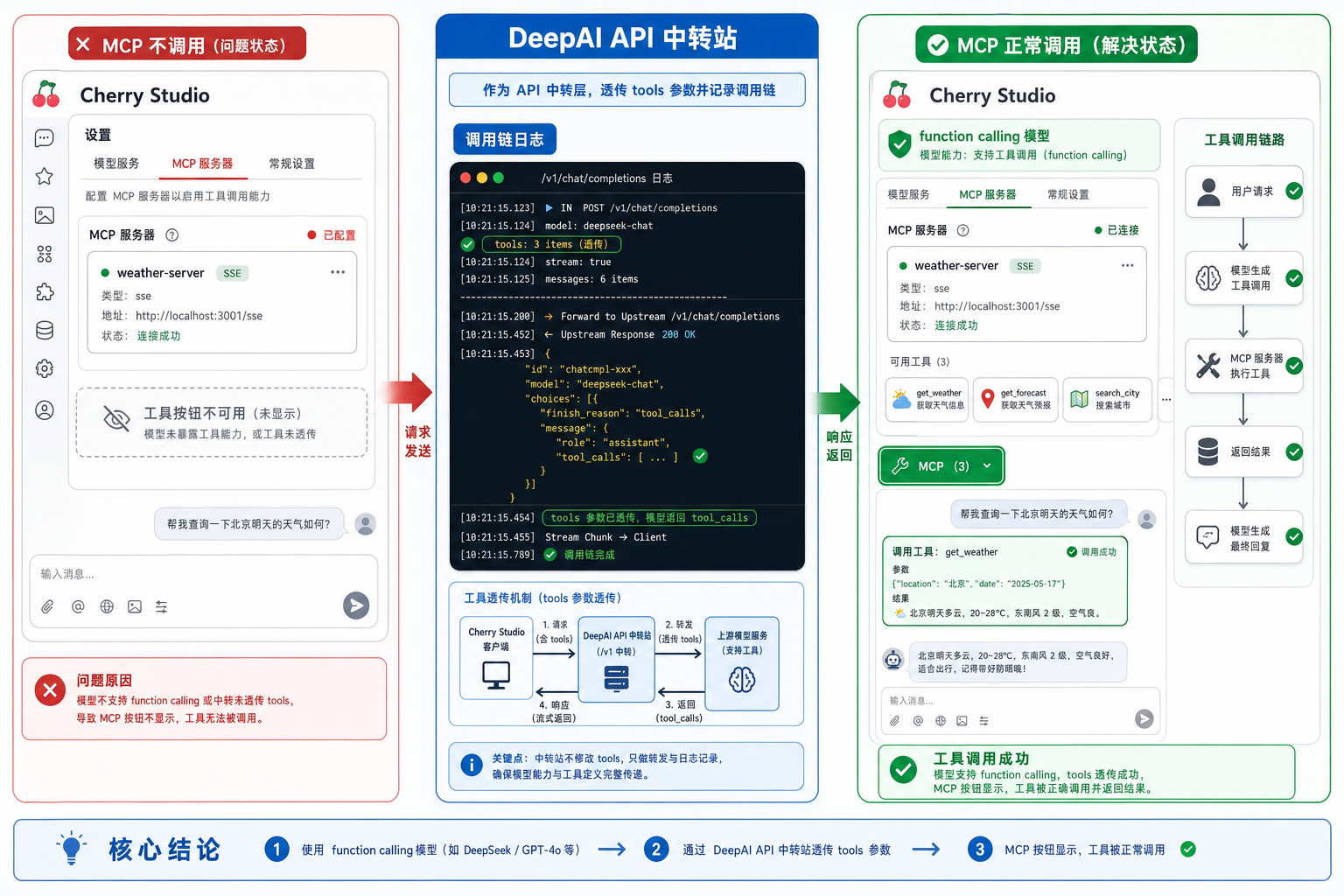
Cherry studio deepai mcp function calling model.png

Cherry Studio 接入 DeepAI API 中转站:MCP 不显示或不调用的 function calling 排查Cherry Studio 接入 DeepAI API 中转站:MCP 不显示或不调用的 function calling 排查

Cherry Studio 配好 MCP Server 后工具按钮不显示、MCP 没被调用,常见原因是输入框未启用 MCP,或模型没有被识别为 function calling 模型。本文结合 Cherry Studio Issue #3513 和 MCP 文档,整理 DeepAI API 中转站接入时的模型能力、tools 透传与日志排查方法。

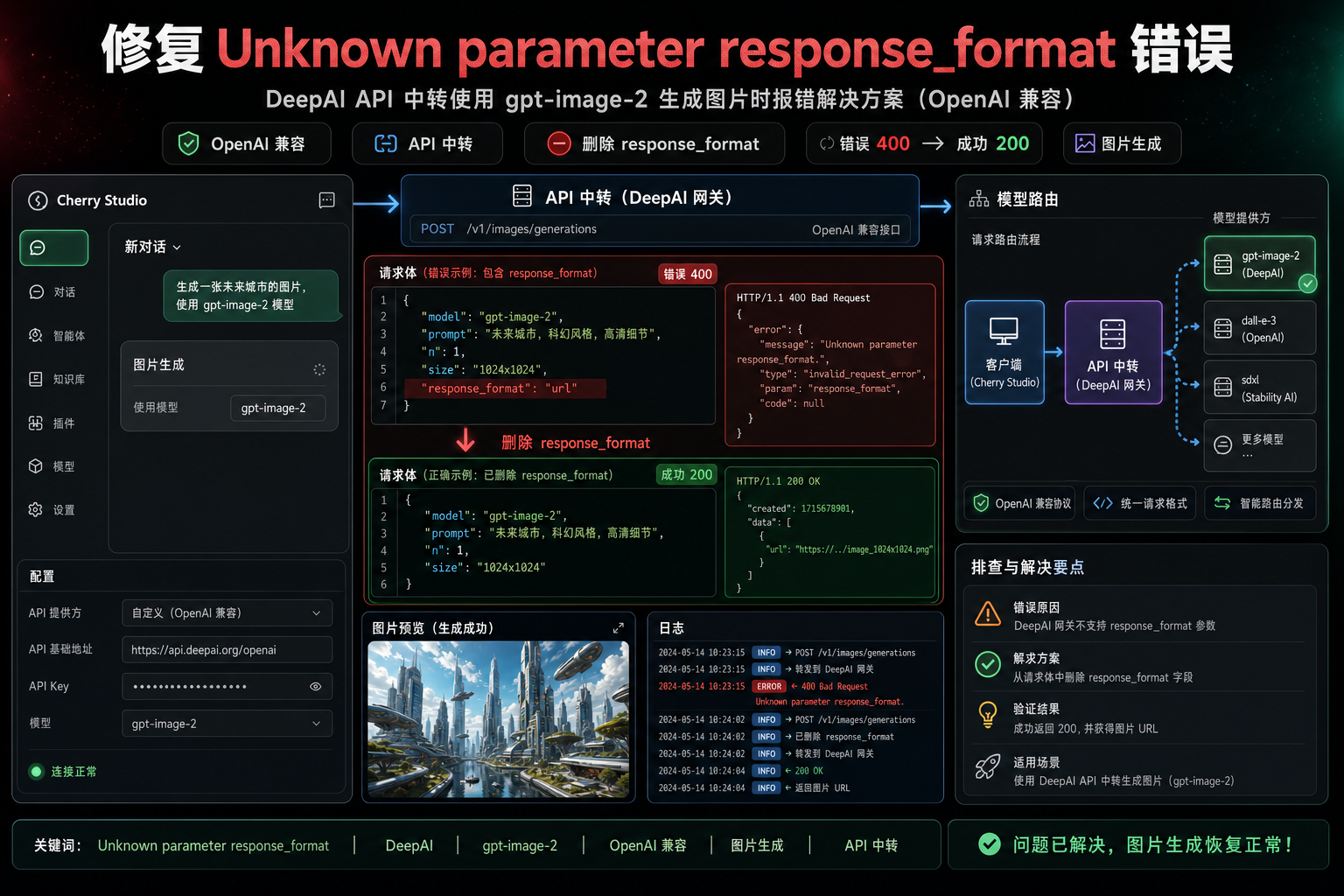
Cherry studio deepai gpt image 2 response format error.png

Cherry Studio 接入 DeepAI API 中转站:gpt-image-2 报 Unknown parameter response_format 怎么修Cherry Studio 接入 DeepAI API 中转站:gpt-image-2 报 Unknown parameter response_format 怎么修

Cherry Studio 使用 OpenAI-compatible Provider 调用 gpt-image-2、gpt-image-1.5 等图像模型时,如果返回 400 Unknown parameter: response_format,通常不是 Key 或 Base URL 错,而是客户端给新图像模型多传了 response_format。本文结合 Cherry Studio Issue #14485 和 PR #14578,整理 DeepAI API 中转站场景下的排查和修复方法。