DeepAI Paper DeepAI Agent 接入 DeepAI 如何导入第三方 Agent:CC Switch、Claude Code 与 Codex 接入教程

DeepAI 如何导入第三方 Agent:CC Switch、Claude Code 与 Codex 接入教程

很多用户搜索“DeepAI 导入第三方 Agent”“CC Switch 配置 DeepAI”“Claude Code 接入 API 中转站”,真正想解决的是:如何把 DeepAI 的 API Key、Base URL 和模型配置一次性导入到常用 Agent 工具里,避免手动改配置文件。本文以 CC Switch 为例,讲清楚 DeepAI 令牌管理里的第三方 Agent 导入功能。

DeepAI 由 New API 驱动,提供 OpenAI Compatible API 能力。对于 Claude Code、Codex、Cherry Studio、LobeChat、OpenCat 等工具,核心都是同三件事:API Key、Base URL、模型 ID。DeepAI 的第三方 Agent 导入功能,就是为了减少这些重复配置。

DeepAI 支持导入哪些第三方 Agent?

  • Cherry Studio
  • AionUI
  • 流畅阅读
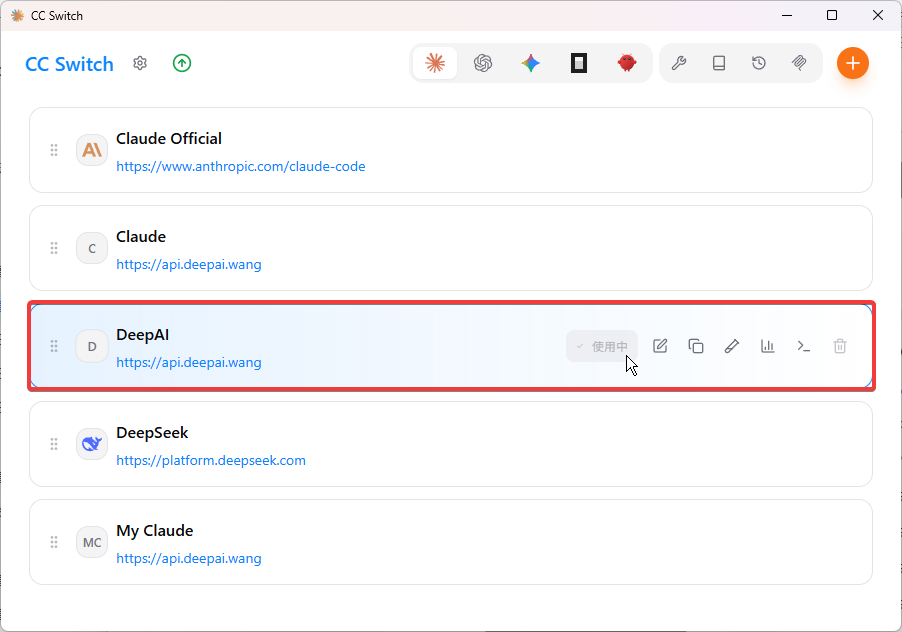
  • CC Switch
  • Lobe Chat
  • AI as Workspace
  • AMA
  • OpenCat / OpenChat 等客户端入口

准备工作:先创建 DeepAI API 令牌

进入 DeepAI 控制台,打开令牌管理,建议为不同客户端单独创建令牌。这样后续查看使用日志、排查余额消耗和定位错误会更清楚。
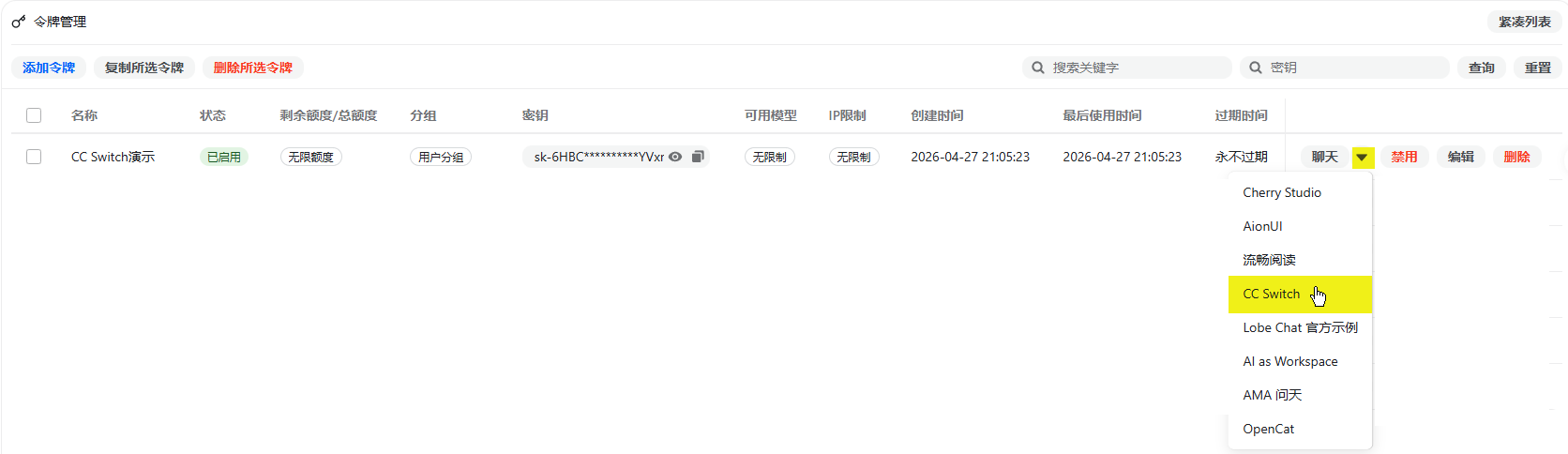
DeepAI 令牌管理添加令牌入口
在 DeepAI 令牌管理中创建 API 令牌,并进入第三方 Agent 导入入口。

以 CC Switch 为例导入 DeepAI 配置

选择 CC Switch 后,根据你实际使用的 Agent 类型填写配置。本例以 Claude Code / Codex 类 CLI 工具为代表,模型可以按需要选择。高阶模型如 gpt-5.5 能力更强,但 token 消耗也可能更高,日常任务建议先用低成本模型测试。
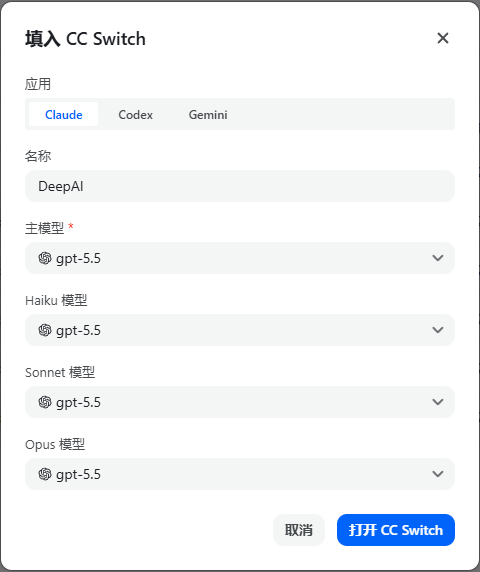
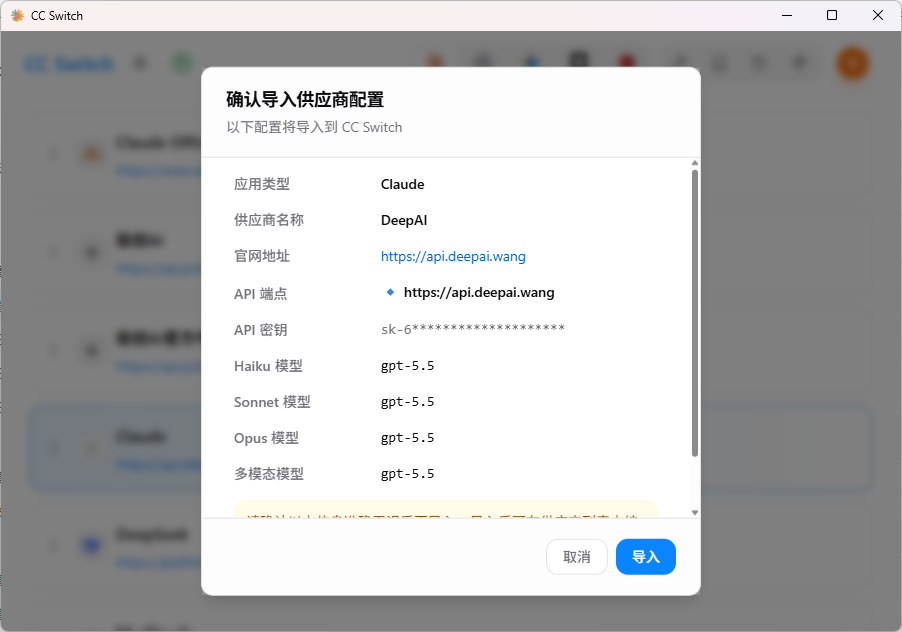
DeepAI 导入 CC Switch 配置
在 DeepAI 的第三方 Agent 导入窗口中填写 CC Switch 所需配置。
DeepAI 模型选择配置
按需选择模型,模型 ID 需要与 DeepAI 支持的模型列表一致。
DeepAI Claude Code 或 Codex Agent 配置
确认 Agent 类型、模型和端点设置后再导入。

导入成功后怎么验证?

导入成功后,DeepAI 会自动开启对应端点。此时打开 Claude Code CLI、Codex Desktop 或对应 Agent 客户端,发送一个简单问题测试即可。
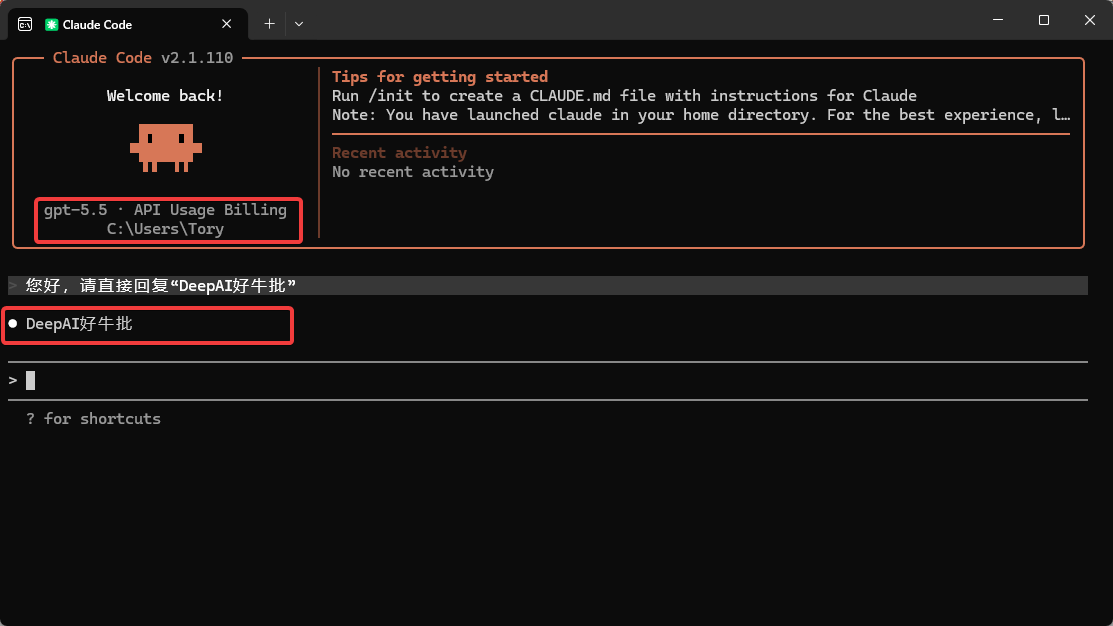
DeepAI 第三方 Agent 导入成功
导入成功后,对应 DeepAI 端点会自动开启。

SEO 重点:DeepAI Agent 接入时最常见的三个坑

问题原因建议
401 / Invalid tokenAPI Key 错误或复制了空格重新创建专用令牌并复制完整 Key
模型不存在模型 ID 和 DeepAI 后台不一致以 DeepAI 控制台模型列表为准
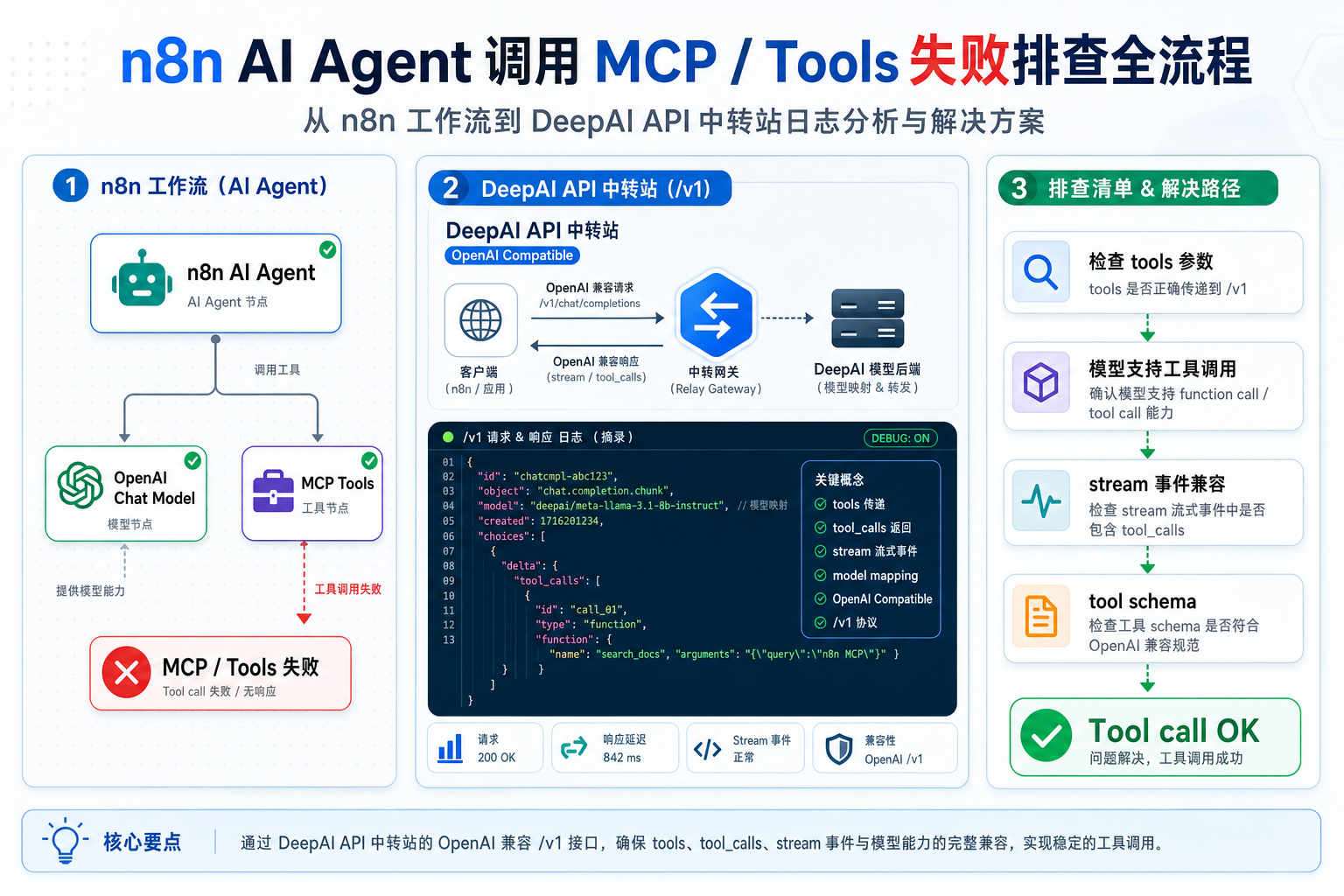
流式输出异常端点和模型流式协议不匹配优先确认 /v1、/responses、/chat/completions 的差异

FAQ:DeepAI 第三方 Agent 导入常见问题

DeepAI 导入第三方 Agent 和手动填写 Base URL 有什么区别?

本质能力相同,都是把 API Key、Base URL 和模型配置写入客户端。导入功能更适合新手和批量配置;手动配置更适合排错和高级用户。

CC Switch、Claude Code、Codex 都能用同一个 DeepAI Key 吗?

技术上可以,但不建议。最好每个工具单独创建一个 DeepAI 令牌,方便统计用量和排查异常。

DeepAI Base URL 应该填什么?

多数 OpenAI Compatible API 客户端可以使用 https://api.deepai.wang/v1。如果工具有特殊端点要求,需要按工具文档调整。

如果你还使用 Cherry Studio,可以继续阅读:Cherry Studio 如何接入 DeepAI API 中转站

Related Post

Openclaw deepai developer role 400 system role.png

OpenClaw 接入 DeepAI API 中转站:developer role 400 错误怎么修OpenClaw 接入 DeepAI API 中转站:developer role 400 错误怎么修

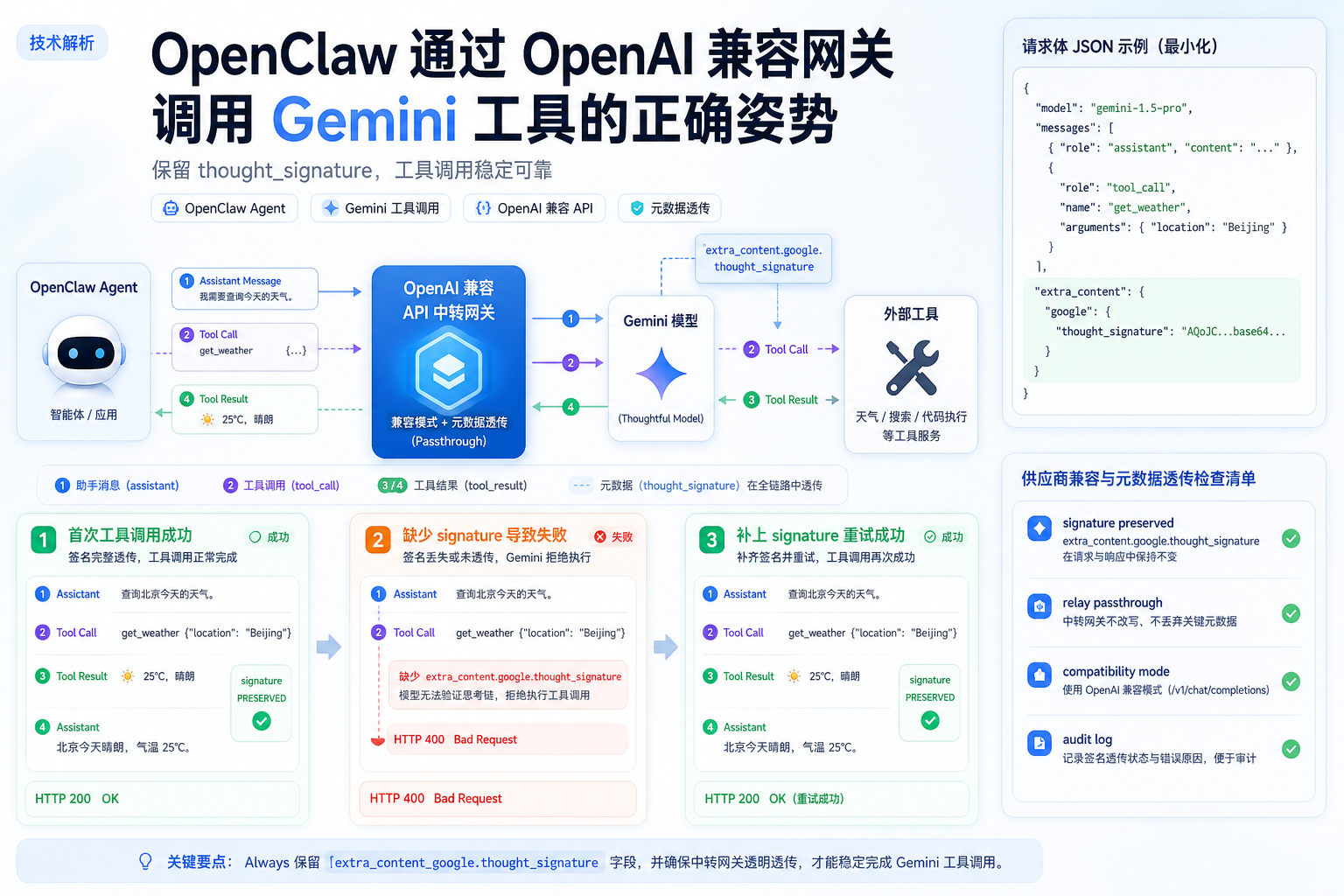
OpenClaw 通过 OpenAI-compatible Provider 接入 Qwen、DeepSeek、GLM、Kimi 或代理网关时,如果后端返回 developer is not one of system/user/assistant/tool/function,通常是 developer role 没有映射为 system。本文结合 OpenClaw Issue #27037 和 PR #29479,整理 DeepAI API 中转站场景下的排查与修复方法。

Openclaw deepai tool calls not executed.png

OpenClaw 接入 DeepAI API 中转站:返回 tool_calls 但工具不执行的排查OpenClaw 接入 DeepAI API 中转站:返回 tool_calls 但工具不执行的排查

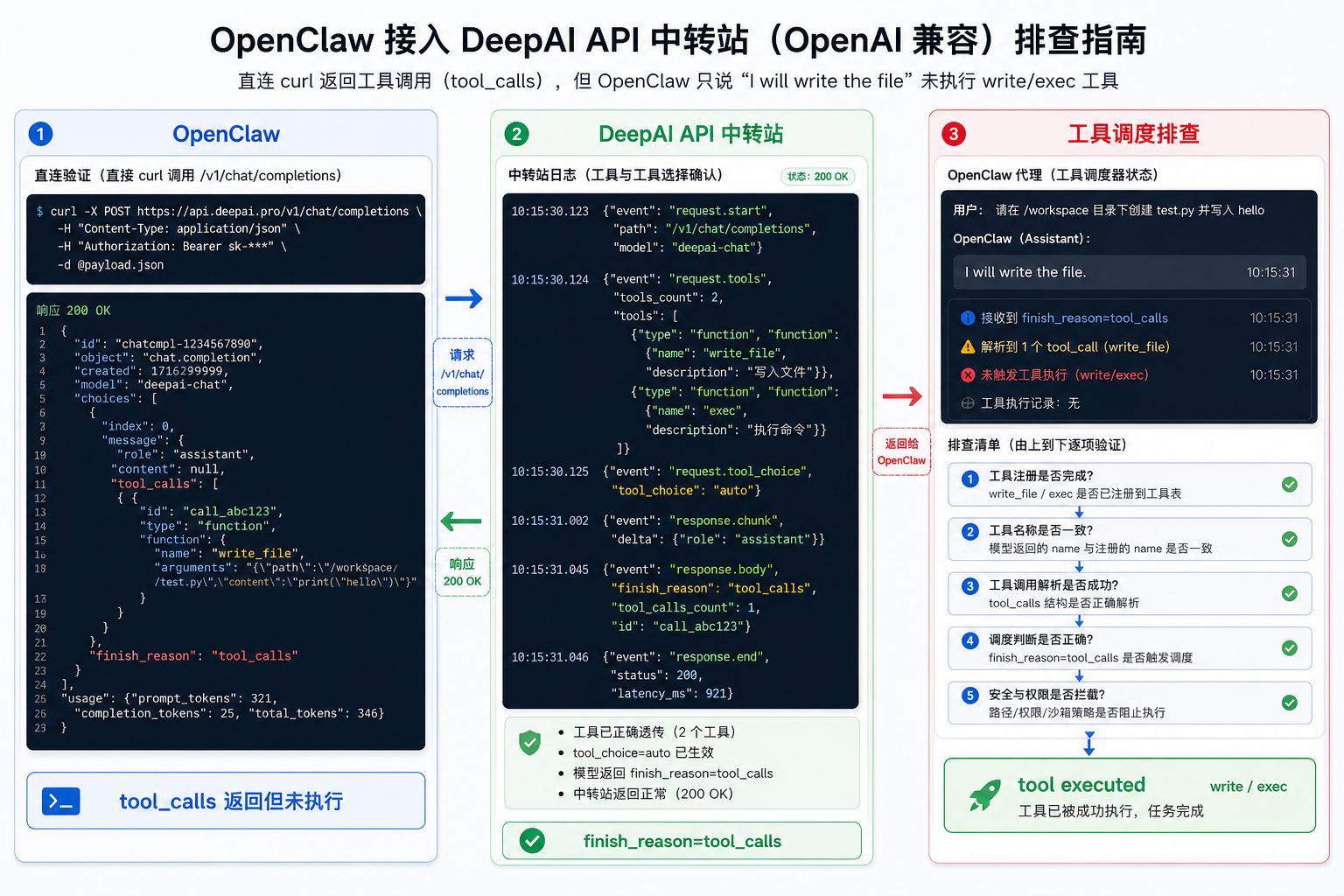
OpenClaw 使用自定义 OpenAI-compatible Provider 时,直接 curl 能返回合法 tool_calls,但 Agent 只用自然语言回应,write、exec 等本地工具没有执行。本文结合 OpenClaw Issue #67745,整理 DeepAI API 中转站日志、tool_choice、finish_reason 与客户端工具调度的分层排查方法。

Openclaw deepai openai completions tools parameter.png

OpenClaw 接入 DeepAI API 中转站:openai-completions 不发送 tools 导致工具调用失效OpenClaw 接入 DeepAI API 中转站:openai-completions 不发送 tools 导致工具调用失效

OpenClaw 使用自定义 OpenAI-compatible Provider 时,如果请求里没有 tools 参数,模型可能只输出 JSON 文本而不会返回 tool_calls。本文结合 OpenClaw Issue #1866 / #8923,整理 DeepAI API 中转站场景下的复现、排查、升级和验证方法。